Namecheap’s New "Powered By Namecheap" Initiative Offers Aspiring Online Entrepreneurs To Launch Their New Website For FREE

Namecheap, the world’s second-largest retail domain registrar and leading provider of online products and services for entrepreneurs, small businesses and startups, is launching its first ever “Powered by Namecheap” sponsorship program. With the new initiative, Namecheap is aiming to help create opportunities for dreamers, creators, innovators and aspiring entrepreneurs looking to finally kickstart that big online idea.

            Read : Get Top Level Domain For Free
Namecheapis looking for the most inspiring, unique and creative ideas from people who might be held back only by the initial cost of starting their new website. Whether it’s an online business, a blog, an e-shop, a game, an app – even a drone pizza delivery service – whatever the idea, Namecheap would like to hear about it! Apply now for sponsorship consideration.  

The sponsorship includes the following:
  • Any non-premium domain name to represent the new project online
  • Web hosting best-suited to the website to keep the project up and running
  • Positive SSL certificate to provide the necessary website security
  • Expert advice and tips from Namecheap’s marketing and customer service teams.

  • How to apply:

    To be considered for sponsorship, participants need to complete a simple application form on the “Powered by Namecheap” page. Namecheap’s team will review all completed applications and inform sponsorship finalists via email within 30 days of their entry. Only the best ideas will receive an invitation for sponsorship, and Namecheap is hoping to support as many amazing projects as possible. For more information and to view sponsorship terms and conditions, visit: 

    Click Here To Apply For Namecheap Free Website 

    About Namecheap Namecheap® is an ICANN-accredited domain registrar and technology company founded in 2000 by CEO Richard Kirkendall. Celebrating nearly two decades of providing unparalleled levels of service, security, and support, Namecheap has been steadfast in customer satisfaction. With over 10.5 million domains under management, Namecheap.com® is among the top domain registrars and web hosting providers in the world. To learn more about Namecheap, visit namecheap.com.


    If you like our post , then please follow us by email, and yes don’t forget to comment below.

    Thank you for reading 🙏🙏

    Support Our Blog : Click Here

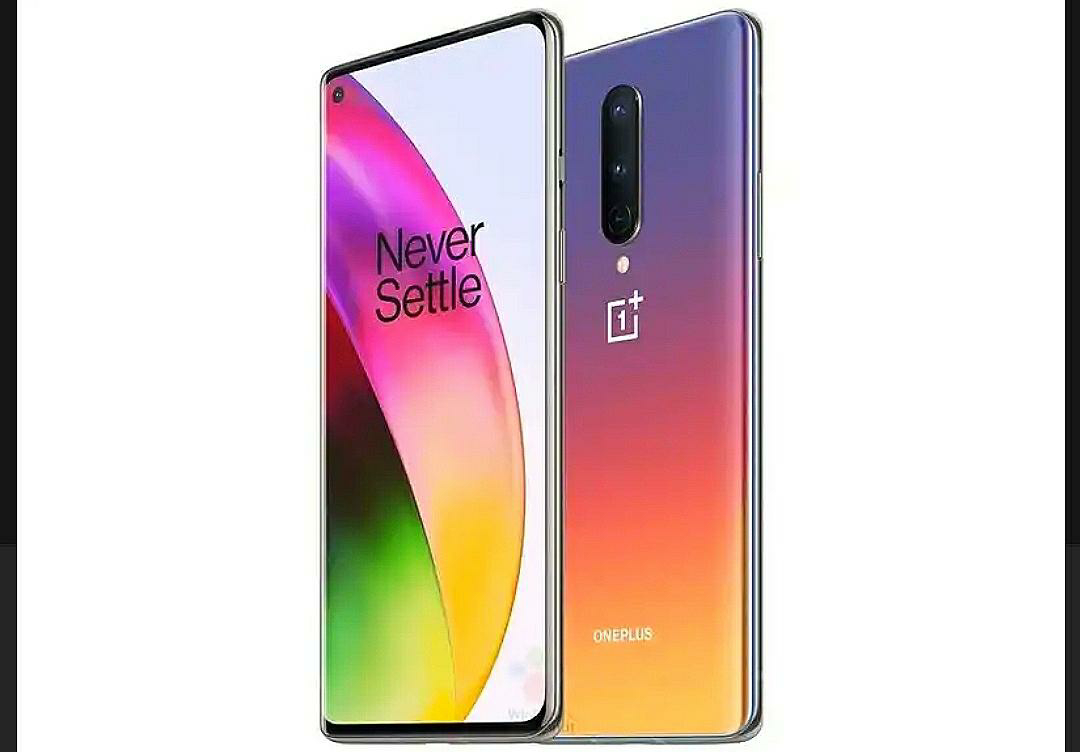
    OnePlus 8 Series 5G – Specs , Launch Date

    OnePlus 8 Series 5G : Specs , Launch Date

    • OnePlus 8 Launch Date Revealed, 5G Support and 120Hz Display Confirmed  – OnePlus will live stream the OnePlus 8 launch event on its website and YouTube channel.
    • OnePlus 8 series 5G phones will cost less than $1,000, says OnePlus CEO  – In a recent interview to Business Insider, OnePlus has confirmed that its upcoming OnePlus 8 series won’t cross the $1,000 mark, despite packing all the latest hardware.
    • OnePlus 8 Series Smartphones Will All Support 5G, CEO Pete Lau Confirms  – The OnePlus chief has also made it clear that the prices of its phones will go up now that 5G has arrived.
    • OnePlus 8, OnePlus 8 Pro, OnePlus 8 Lite with 5G connectivity to make global debut on 14 April- Technology News, Firstpost  – The company has confirmed that OnePlus 8 series smartphones will come with a 120Hz refresh rate display.
    • Lead with Speed – OnePlus (India)  – 6.78-inch Fluid Display, QHD+, 120 Hz refresh rate, Qualcomm® Snapdragon™ 865 and 5G, Warp Charge 30 Wireless and 48 MP Quad Camera
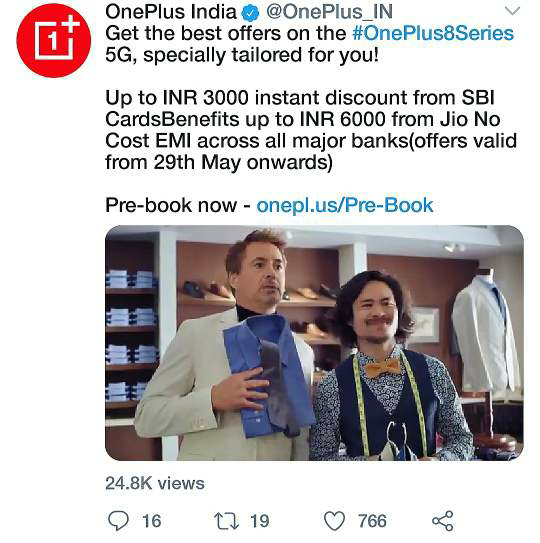
    • OnePlus 8 series goes on sale in India on May 29 with up to Rs 3,000 discount offer: Full details – OnePlus has announced several launch offers for the new OnePlus 8 and OnePlus 8 Pro 5G. Here are the details.
    • OnePlus 8 5G first sale on Amazon India ends in a flash | BGR India – OnePlus 8 5G Amazon India sale – Check OnePlus 8 5G Price in India, unboxing, specifications, features, review at BGR India.
    • OnePlus 8 series: Release date, specs, 5G, and everything else we know  – Here we will be taking a look at everything we know about the upcoming OnePlus 8 series.
    • OnePlus 8 series with first quad-camera setup launched: Check price, specs – OnePlus 8 series is a successor of the OnePlus 7 series, launched last year, and has a flurry of significant upgrades from its predecessor.The OnePlus 8 series was launched through an exclusive live streaming owing the novel coronavirus outbreak in the world.
    • OnePlus 8 Series 5G announced. Here’s the price, spec, availability and discount – Chinese smartphone brand OnePlus on Thursday officially announced ‘OnePlus 8 Series 5G’, which customers will be able to get their hands on the
    • OnePlus 8/Pro tidbits: Durability test, 5G, more – 9to5Google  – The OnePlus 8 and OnePlus 8 Pro are official, but there are some tidbits you only get reading between the lines such as 5G details and a durability test.
    • OnePlus confirms that the OnePlus 8 series will all offer 5G  – OnePlus is slowly building momentum towards its next big launch and has confirmed that it’s full line-up of forthcoming phones will be 5G enabled.
    • OnePlus 8 will be ‘all in on 5G,’ CEO says – Speaking exclusively to CNET, OnePlus CEO Pete Lau reveals that the upcoming OnePlus 8 will center around 5G.
    • The OnePlus 8 series will have 5G but be more expensive, CEO confirms – The entire OnePlus 8 series will support 5G networks, CEO Pete Lau has confirmed. But as a direct result of the decision, a price hike has also been announced.
    • OnePlus 8 smartphone series may feature 120Hz displays, dual-mode 5G: Report  – OnePlus 8 series is expected to include three smartphones — OnePlus 8, OnePlus 8 Pro, and OnePlus 8 Lite.
    • OnePlus confirms it’s going all in on 5G with upcoming OnePlus 8 series – Both the vanilla OnePlus 8 and OnePlus 8 Pro will be 5G-ready out-of-the-box

    Main Features of OnePlus 8 series 5G

    Primary Sensor

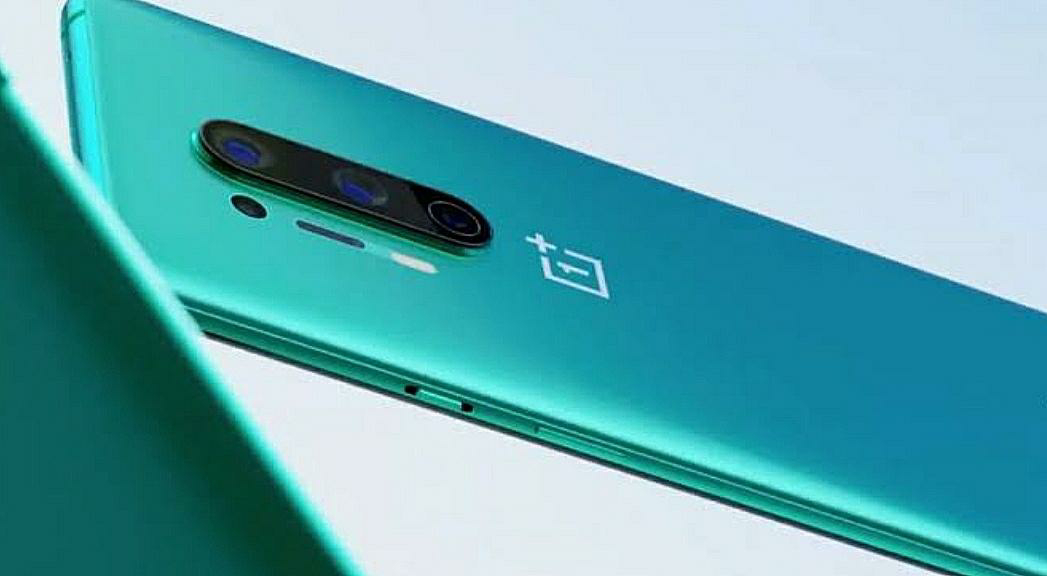
    • The device will come with a triple camera setup on the back consisting of a 48MP primary sensorpaired with a 16MP secondary sensor and a 2MP sensor. On the front, it will feature a 16MP sensor for taking selfies. It will be made available in Glow, Black and Green colour options, and will not come with any IP rating. OnePlus 8 Pro from the renders also looks like the OnePlus 7T Pro, with a number of changes. 

    Onscreen Content

    • The OnePlus 8 Pro’s Fluid Engine ensures onscreen content flows seamlessly from one frame to the next, while innovative MEMC technology provides even smoother motion. Paired with a brilliant 6.78″ QHD+ display* and 120 Hz refresh rate, it’s love at first swipe.

    Series Devices

    • OnePlus will be offering support for 5G networks on all OnePlus 8 series devices . 

    Credit Cards

    • The company is also offering up to 12 months no cost EMI across oneplus.in and Amazon.in on purchase using popular bank debit and credit cards . Additionally, users will also be able to avail up to 12 months of no-cost EMI at no extra cost across all online and offline channels on purchase with SBI Credit Cards. Bajaj Finance users will also be able to purchase the devices at one-third of the total value, while paying the remaining amount at low monthly installments over the course of 12 months. 

    Camera Specifications

    • From the official teaser posted on the OnePlus website, we can notice a black variant of the smartphone. Many details such as the camera specifications or the prices are yet to be revealed. However, thanks to a slew of leaks over the past month, we can expect to see a host of features on the upcoming OnePlus 8 and OnePlus 8 Pro smartphones. This includes a quad rear camera setup and Qualcomm Snapdragon 865 SoC. 

    Read : Xiaomi MIUI 12 launch date: Features , Compatible with 47 Devices

    Visual Processor

    • Here’s a graphic provided by Pixelworks that illustrates the difference between the Iris 5 visual processor and the Soft Iris on Snapdragon implementation: 

    Available Levels

    • Brightness Control lets you select your ideal display brightness from 4096* available levels for smoother brightness transitions and greater eye-comfort.

    The New OnePlus 8 series 5G
    • Charge up from 1% to 50% in just half an hour* with new Warp Charge 30 Wireless. 
    • With up to 270%* faster data transfer speeds than previous generations, you can stream games and watch shows without a hitch. 
    • When you need to plug in, a quick 23-minute charge gives you up to 50% power, while the massive 4510 mAh battery keeps you going. 
    • All OnePlus Red Cable Club members will get several benefits on purchase of the OnePlus 8 series including extended warranty, 50 per cent discount on battery replacement and assured buyback rates, 50 GB worth of free OnePlus Cloud storage for 12 months and other exciting partner benefits. 
    • The members will also get an additional 10 per cent off on screen protection. 
    • This essentially means that the smartphones can charge with the company’s proprietary wireless charger up to 30W. OnePlus has claimed that the wireless charger will be able to charge the phone from 0 to 50% in 30 minutes. 
    • The device comes equipped with up to 12GB RAM for up to 30 per cent faster memory speed and improved power efficiency by up to 20 per cent, and up to 256GB internal storage. 
    • OnePlus saw 199% growth in the US last year 
    • OnePlus told us that it saw an incredible 199% growth in the US in the last year, and it’s easy to see why. 
    • The GPU in the OnePlus 8 series is the new Adreno 650 which offers 20% faster graphics rendering and 35% greater power efficiency than the Adreno 640 GPU of the OnePlus 7 series. 
    • 2.24m [4 in 1]/12MP, OIS, EIS Secondary 48MP, ultra-wide-angle, f/2.2, 119.7 FOV Tertiary 8MP, telephoto, f/2.4, 1.0m pixels, OIS, 3x Optical Hybrid Zoom Quaternary 5MP, color filter, f/2.4 Flash Dual LED Flash Autofocus All pixel 
    • Qualcomm says the Snapdragon 865 offers 25% faster CPU performance over the Snapdragon 855, which was found in the previous-generation OnePlus 7 series. 
    • However, OnePlus says their solution has a charge efficiency of 97% thanks to two things: 
    • You can also finance the phone for $33.33 per month for 24 months on Verizon Device Payment for 0% APR.

    (images credit: twitter)


    If you like the post, then please follow us by email. Any queries or suggestions , please comment below…

    Tkank you for reading the post 🙏🙏🙏

    Xiaomi MIUI 12 launch date: Features , Compatible with 47 Devices

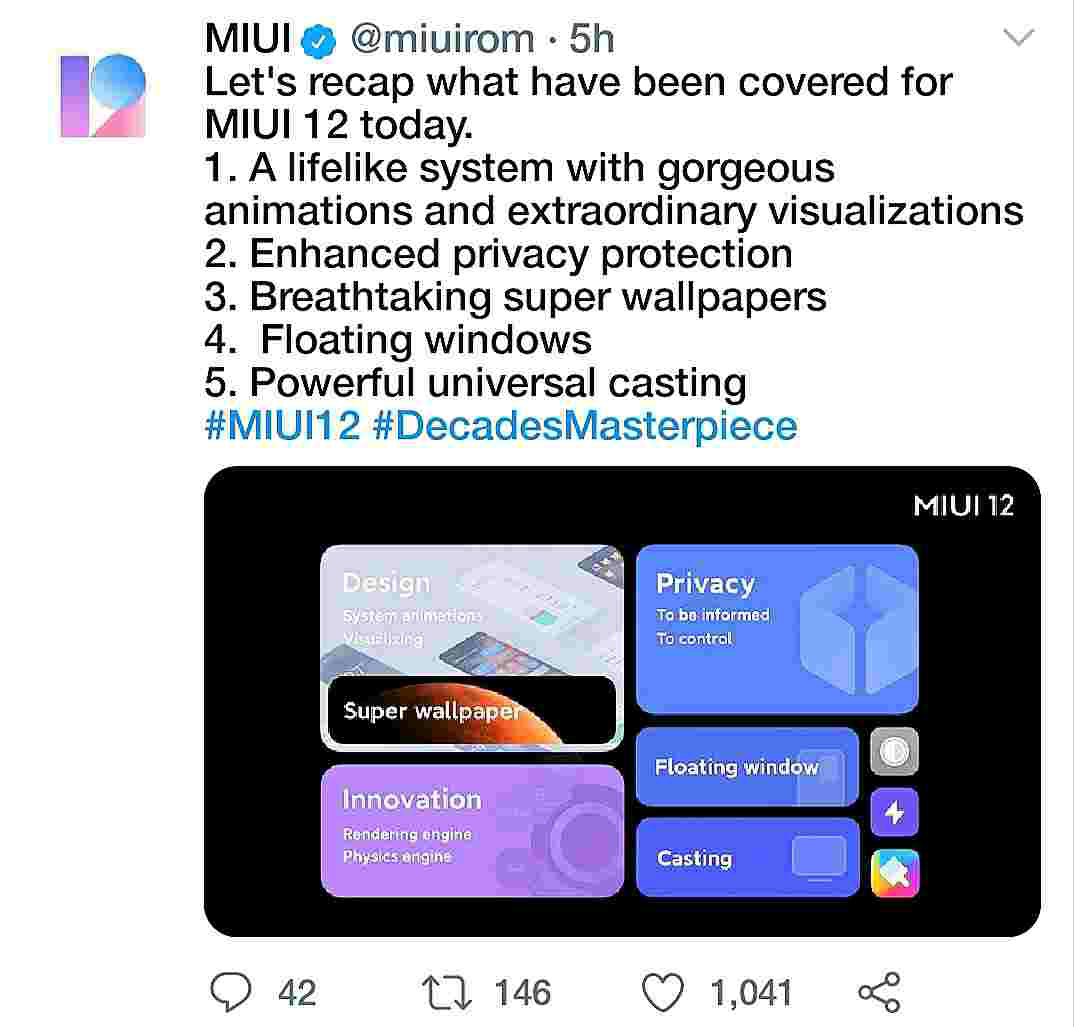
    Xiaomi previously detailed MIUI 12 in China earlier this month, and the firm has now unveiled the new Android skin on a global stage. MIUI 12 also brings stock Android 10 navigation gestures, new quick reply feature, floating windows and a new universal casting feature that supports Miracast standard. 


    It’s scheduled to begin seeding to Mi 9, 9T, 9T Pro and K20, K20 Pro users by the end of June. A second, larger batch of phones is expected to get MIUI 12 soon after.

    (images credit: ndtv.com)

    Xiaomi has announced that it will start rolling out MIUI 12 to Mi 9T, Mi 9T Pro, Redmi K20 and Redmi K20 Pro by the end of June.
    Apart from the abovementioned smartphones, Xiaomi has announced that it will be rolling out the MIUI 12 update to 42 other phones at a later date. However, it did not reveal the exact date of the rollout for these smartphones.

    (images credit: twitter)
    Below is a list of all the smartphones which will be receiving the MIUI 12 update.
    Redmi Note 7
    Redmi Note 7 Pro
    Redmi Note 8 Pro
    Redmi Note 9
    POCO F1
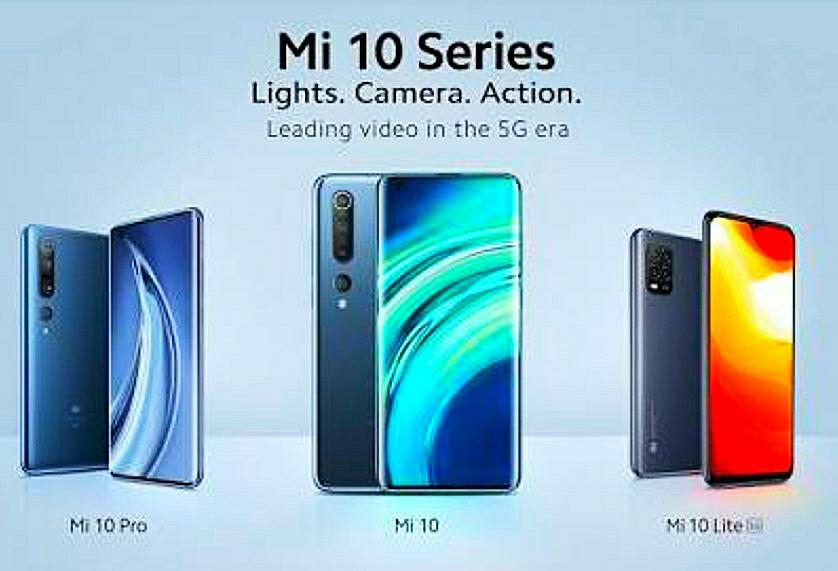
    Mi 10 Pro
    Mi 10
    POCO F2 Pro
    POCO2
    Mi 10 Lite
    Mi Note 10
    Mi 8, Mi 8 Pro
    Mi MIX 3
    Mi MIX 2S
    Mi 9 SE
    Mi 9 Lite
    Redmi Note 7S
    Mi Note 3
    Mi MIX 2
    Mi MAX 3
    Mi 8 Lite
    Redmi Y2
    Redmi S2
    Redmi Note 5
    Redmi Note 5 Pro
    Redmi 6A
    Redmi 6
    Redmi 6 Pro
    Redmi Note 6 Pro
    Redmi Y3
    Redmi 7, Redmi 7A
    Redmi Note 8
    Redmi Note 8T, Redmi 8
    Redmi 8A, Redmi 8A Dual
    Redmi Note 9s
    Redmi Note 9 Pro
    Redmi Note 9 Pro Max
    Mi Note 10 Lite

    As for MIUI 12, the custom OS from Xiaomi is based on Android 10 and carries a lot of features from stock Android and presents them in a better way. The animations have been vastly improved with new physics engine and improved graphics. The Settings app has received a couple of changes, especially in the Storage and My Device sections.

    (images credit: miui.com)


    Thank you for reading our post , i hope you like it , and please follow us by email.
    Join Our Telegram Channel : Click Here
    Support Our Blog By UPI : 9469726720@upi

    GTA V is Now Free On PC | GTA V Free Download PC-Epic Games Stores

    Grand Theft Auto V is a 2013 action-adventure game developed by Rockstar North and published by Rockstar Games. 

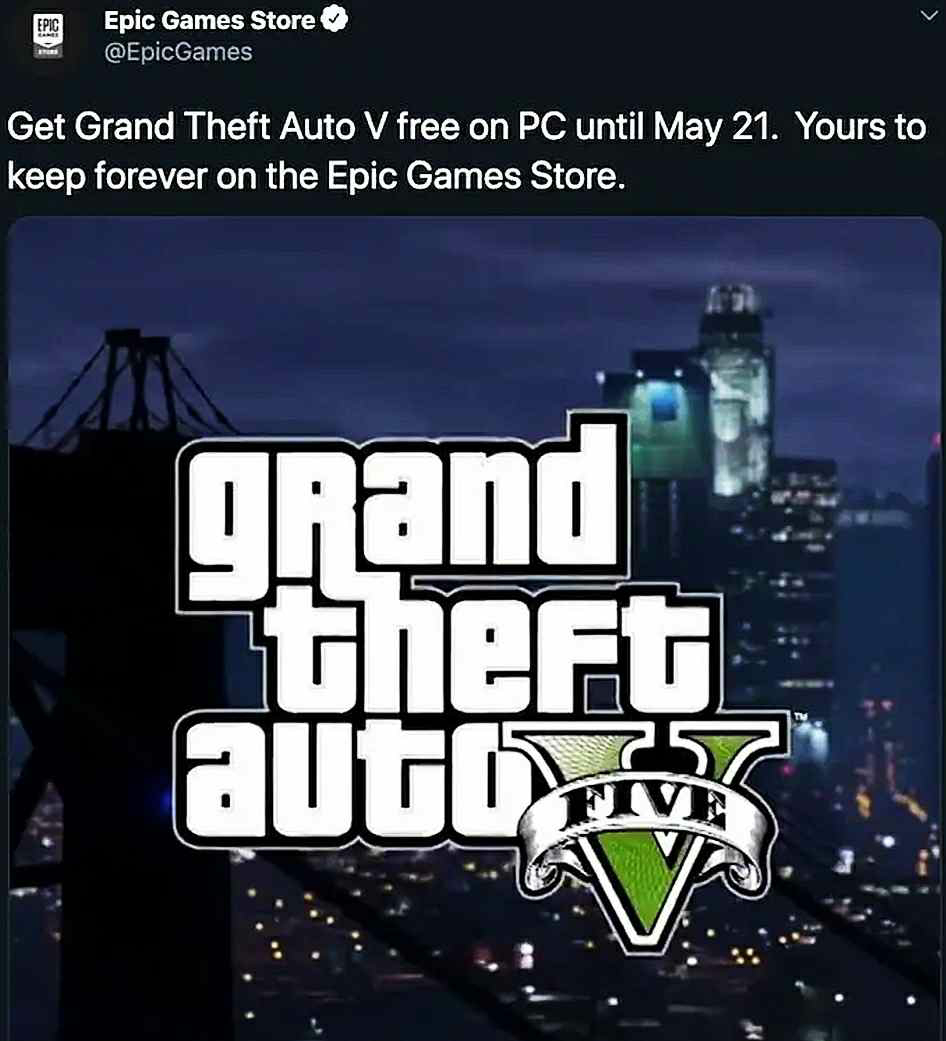
    Get ready to have your entire weekend wasted: word on the street is smash-hit GTA V might soon be free to download. GTA V is now free to download from the Epic Games Store, whichever means it’s yours to keep forever if you snag it before May 21. It is now available to download here.

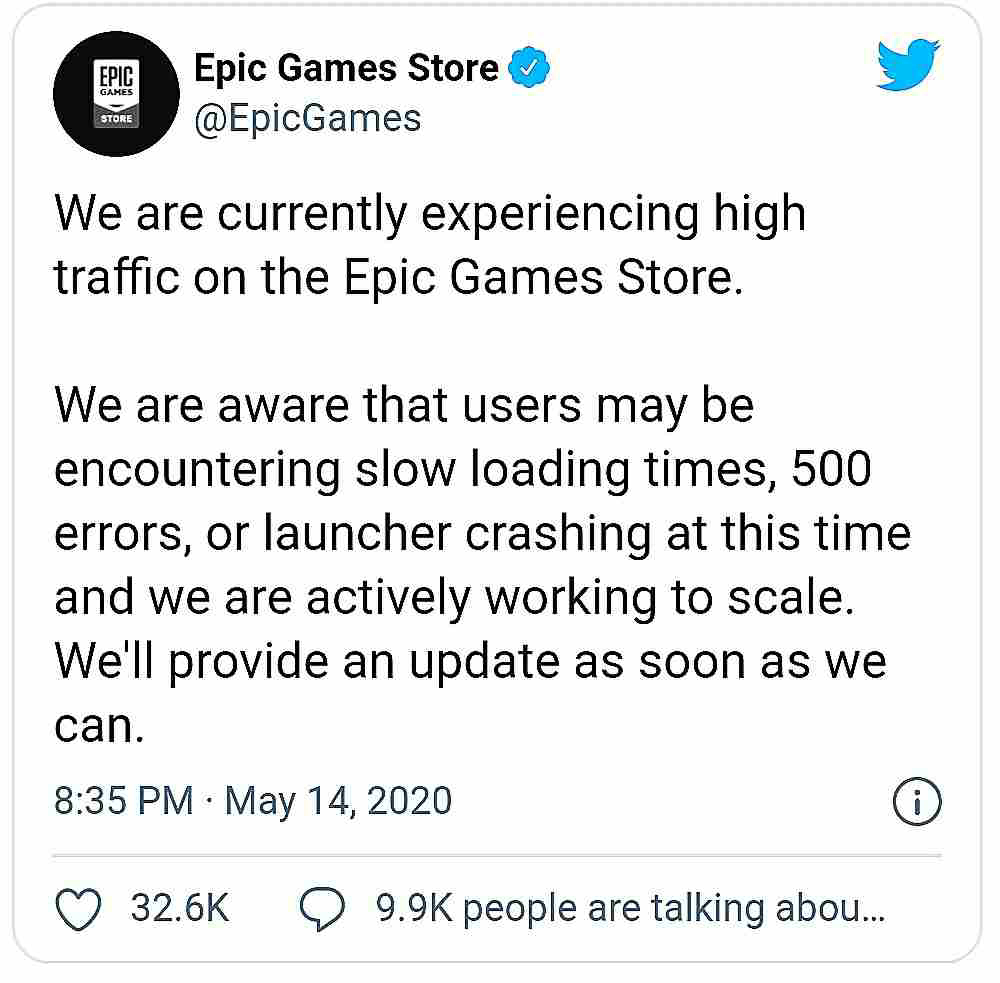
    If you have an Epic Games Store account, though demand is so high that Epic is struggling to meet demand for the time being, so you might struggle to load the page until that’s fixed. 

    Image credit: twitter


    According to the leaked tweet, Grand Theft Auto V will be available as a free download through May 21st.

    About Grand Theft Auto V :

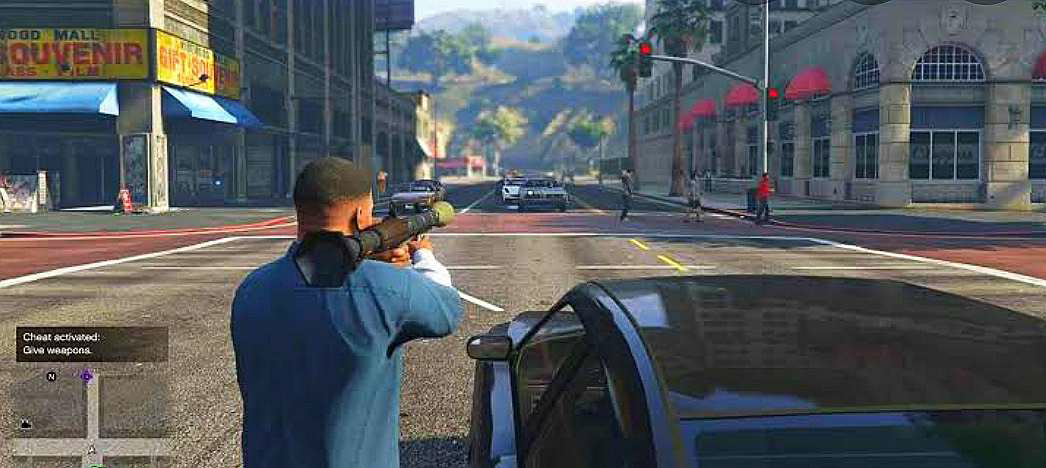
    The game is played from either a tpp or fpp, and its world is navigated on foot or by vehicle. Players control the three lead protagonists throughout single-player and switch among them, both during and outside missions. The story is centred on the heist sequences, and many missions involve shooting and driving gameplay. A “wanted” system governs the aggression of law enforcement response to players who commit crimes. GTA ONLINE, the game’s online multiplayer mode, lets up to 30 players engage in a variety of different cooperatives and competitive game. Here are some gameplay images.

    You can download GTA V from epic games stores from 21st of May.


    Please support us by donation
    Upi ID – 9469726720@upi

    Google Pay – +91 9469726720
    Your small contribution help us to create better content.
    Thank you….


    Top 3 Ads Network For New Blogger -Instant Approval

    Do want to start blogging as your carrer or part time job ? And want to monetize your website ?


    If your answer is Yes, then today in this post , I will tell you about three best Ads networking site for new bloggers .
    Adsense is clearly a great ad platform because of the quality of their ads, but the problem is getting AdSense approval. For a new blogger (blogspot) it is not possible to get instant approval from AdSense, the approval may took 4 – 6 months. You have to meet the requirement criteria for getting AdSense approval and high quality content is not only factor , there are many other factors which AdSense want to see before approving your site. 
    Small blogs (New Blogger) usually don’t get AdSense approval easily. So I had found several other Ads network for the new bloggers where you can get instant approval and good quality Ads. Please read the post carefully till the end otherwise if you skip , then you will be regretted.

    This article is written for the new and small bloggers , who does not have much traffic , read it carefully it will be gold mine for you.
    3 Best Ads Network For Small Publisher


    1) Propeller Ads

    Propellerads is a CPM network which is idle for any beginner or intermediate bloggers. For a new blogger I must suggest propeller ads.All you need to do is after signing up:
    • First you have to create a Ads.
    •Place it on your blog (In Edit HTML section)
    •You will make anywhere between $1-$4 for          1000 views.
    •Minimum payout is $25
    The propeller Ads pay you by Payoneer , Webmoney and other payment methods.

    2) RevenueHits

    Revenue Hits is very different when compared to the other ad networks on this list.

    Revenue Hits won’t pay you anything for clicks or impressions. They only pay when a click is turned into action. For example, if advertisers need user information, they advertise using Revenue Hits.

    Publishers place the ad code on their blog. When a visitor clicks the ad and gives his/her name and email to the advertiser, the publisher (you) will get paid.

    The revenuehits will pay you between $10 – $50per actions and I had seen that many publisher makes $80  to $100 per days . 

    Advantages of Revenue Hits:

    1. Very high CPA rates
    2. Good minimum payout when compared to other ad networks like AdSense
    3. Good customer support.
    4. Instant activation and approval.

    Overall I love RevenueHits and I personally use RevenueHits.The RevenueHits will pay you through PayPal , wire transfer etc and other payment method.

    Create Account On RevenueHits – Click Here

    3) PopAds

    PopAds is another good ads networking site as you get instant approval and there is not much requirement for approval. This Ads networking site is very good for the new bloggers as they don’t have any minimum traffic requirement.


    Advantages of PopAds:

    1. High CPM rates when compared to other networks.
    2. No minimum traffic requirements
    3. Minimum payout is $5
    4. The withdrawal is automatic.
    5. Approval is instant.
    There is only one cons of Popads and its there is only two payments withdrawal methods.
    •Paypal
    •Payoneer

    I hope you like our post and don’t forget to follow us by email.
    Please support us by donation
    UPI ID – 9469726720@upi

    Google Pay – +91 9469726720
    Your small contribution helps us to create better content.
    Thank you…

    Top Online Photography Course For Free -Get free Diploma

    Shaw academy is offering four-week photography course for free. I you want to learn photography, then I must recommend Shaw Academy. 

    The actual course fee is INR Rs 600 for 4 weeks but due to the current situation in lockdown, the Shaw Academy is offering you this premium course for free. 

    Hurry Up ( Limited seats available )

    This photography course contains 10 important lessons on photography, live classes, Tutorial, assignment and lots of premium features for free. You can directly access all these features from your smartphone. I mean you can learn photography from the mobile itself from home. 


    Lesson1: Camera Types

    An overview of photography in the modern era. Get familiar with your camera, how it works and get started with improving your photography straight away!


    Lesson 2: Camera Features and Functions

    Making sense of camera terminology and modes on cameras. Getting familiar with what cameras can do and what all the different buttons do.


    Lesson 3: Lenses – Your view of the world through your camera

    Exploring different lens types, understanding focal length and getting the most out of your current set up.


    Lesson 4: Composition – Start seeing as a photographer

    Improving photos instantly by understanding basic composition and ideas on what to look out for!


    Lesson 5: Shutter speeds

    What shutter speeds are and how to use them creatively to capture motion. An important step to full control.


    Lesson 6: Apertures

    What apertures are and how to use them effectively to create depth and the next step to full control.


    Lesson 7: ISOs

    How ISO works and the important role it plays in our lower-light and high-speed photography. Improve your focusing ability in the lesson too.


    Lesson 8: White Balance

    Why do our cameras sometimes get colours wrong, or how can you really bring out the colours in that sunset? Find out with White Balance in this lesson.


    Lesson 9: Good Exposure and the Light meter

    What is exposure and how the camera measures light? No more photos that are too dark or too bright! Make sure you get it perfect every time.


    Lesson 10: Fully manual mode – Take complete control

    Putting it all together to take full creative and technical control. Getting to fully manual is only the beginning, it will unlock your potential as a photographer.


    Apply now : Click Here
    Please support us by donation

    Upi ID – 9469726720@upi

    Google Pay – +91 9469726720
    Your small contribution help us to create better content.
    Thank you….


    How To Change Favicon Of Blogger | Blogspot | Tech Support

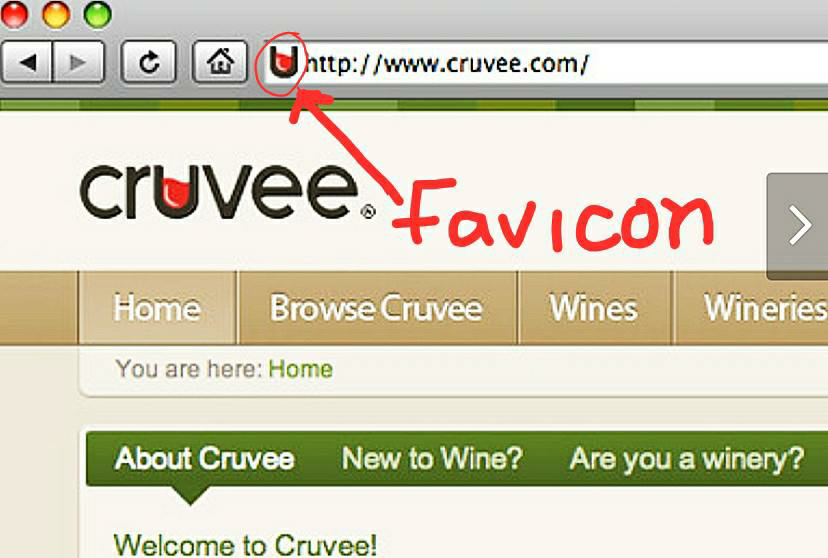
    What is Favicon?
    It is an icon which is associated with a particular website, which is typically displayed in the address bar of the browser.
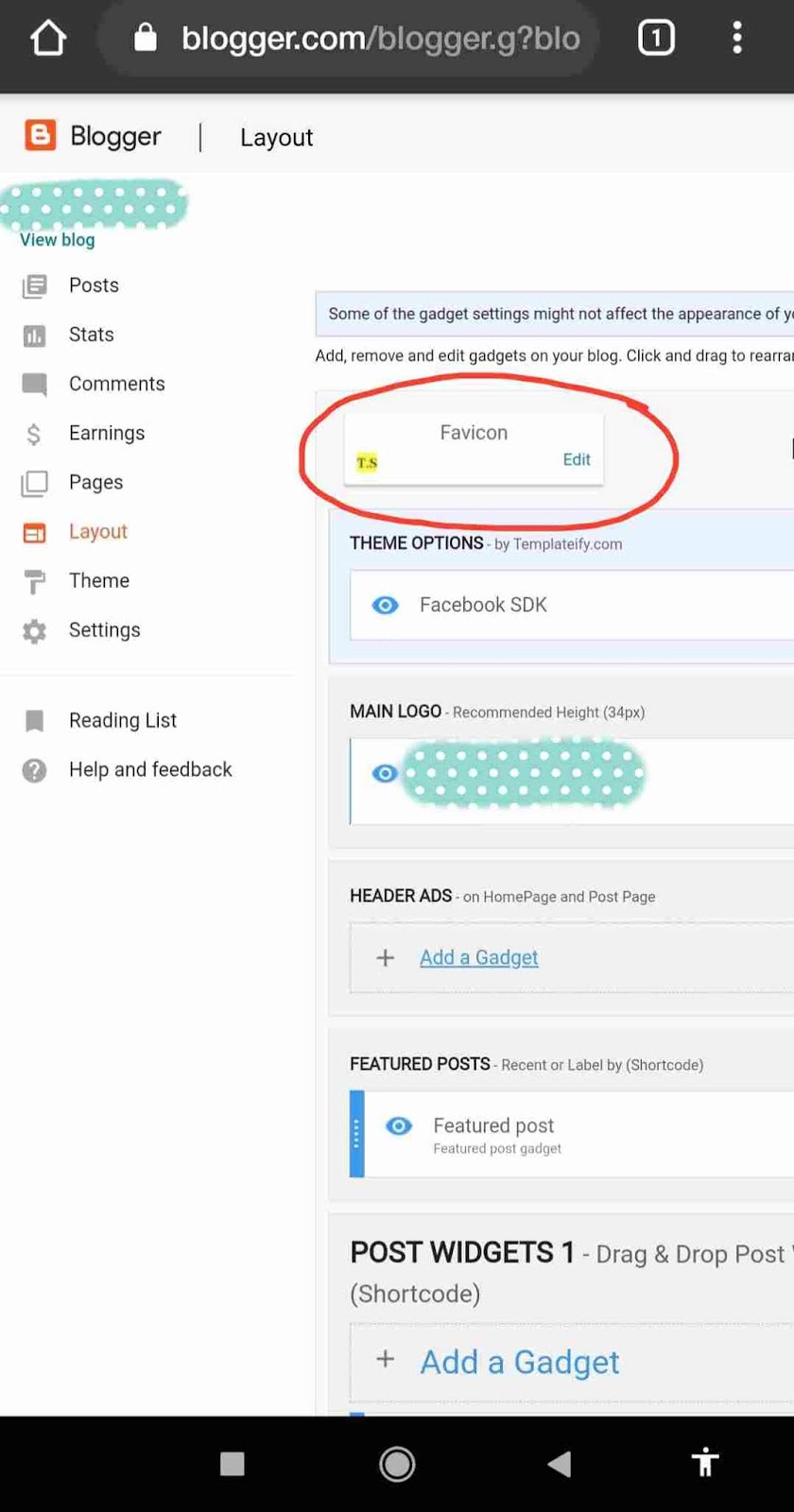
    From last few days, I was trying to add the favicon to my blogger site. But I didn’t get any option in the layout section in the main menu of the blogger. Since after the previous update the favicon edit option was removed. Even if you try from the desktop, you don’t get the favicon change option.
    But after making a lot of efforts, Finally I had found the solution. If you also want to add favicon on your website, then please read it carefully till the end.
    First of all, you have to log in to your blogger account. Then after logging in, the dashboard will be opened.
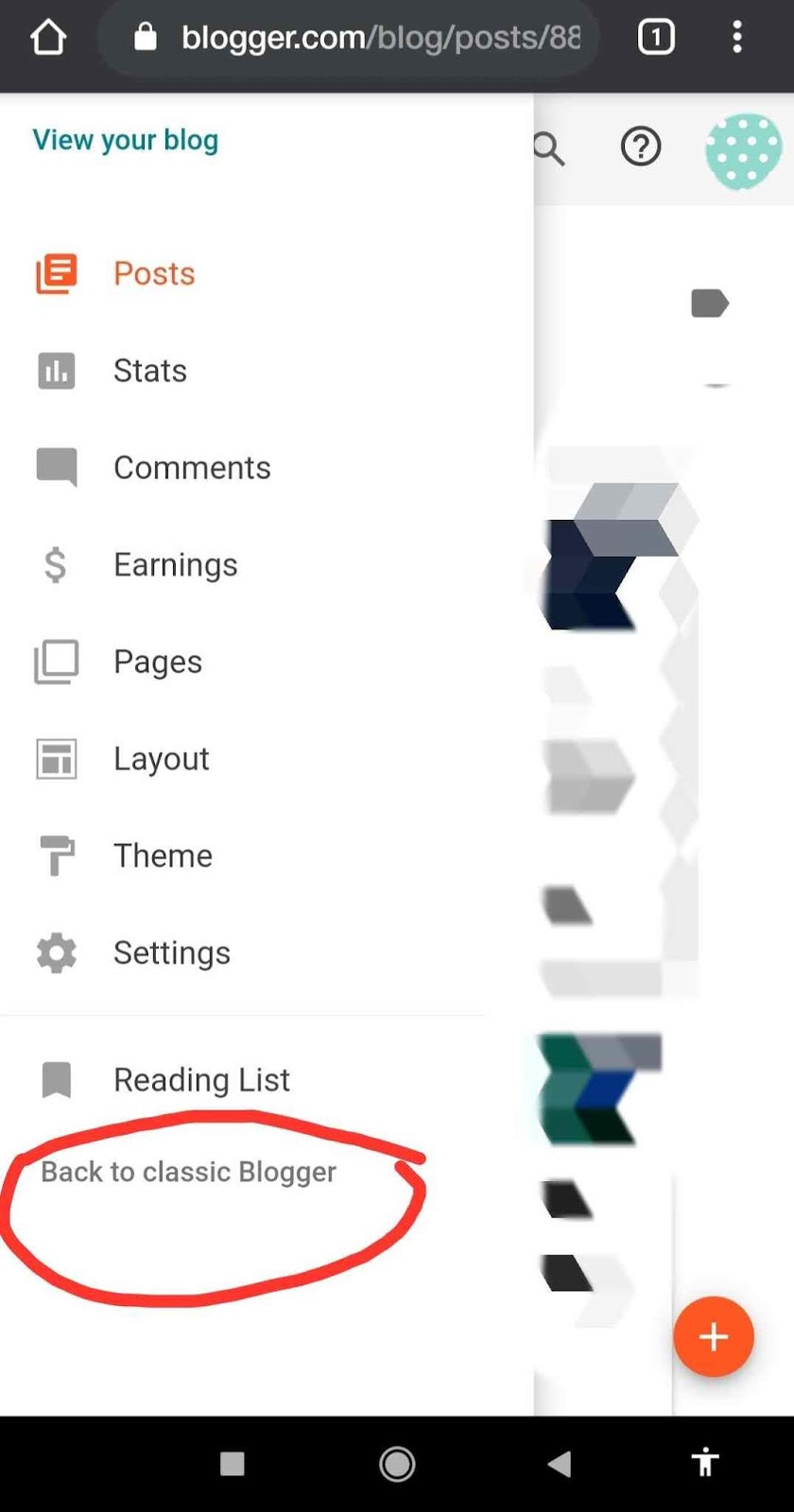
    Click on the main menu button on the left side of the dashboard. At last, you will get an option
    ” Back to Classic Blogger “. After clicking on the link, the old version of the blogger will be opened.

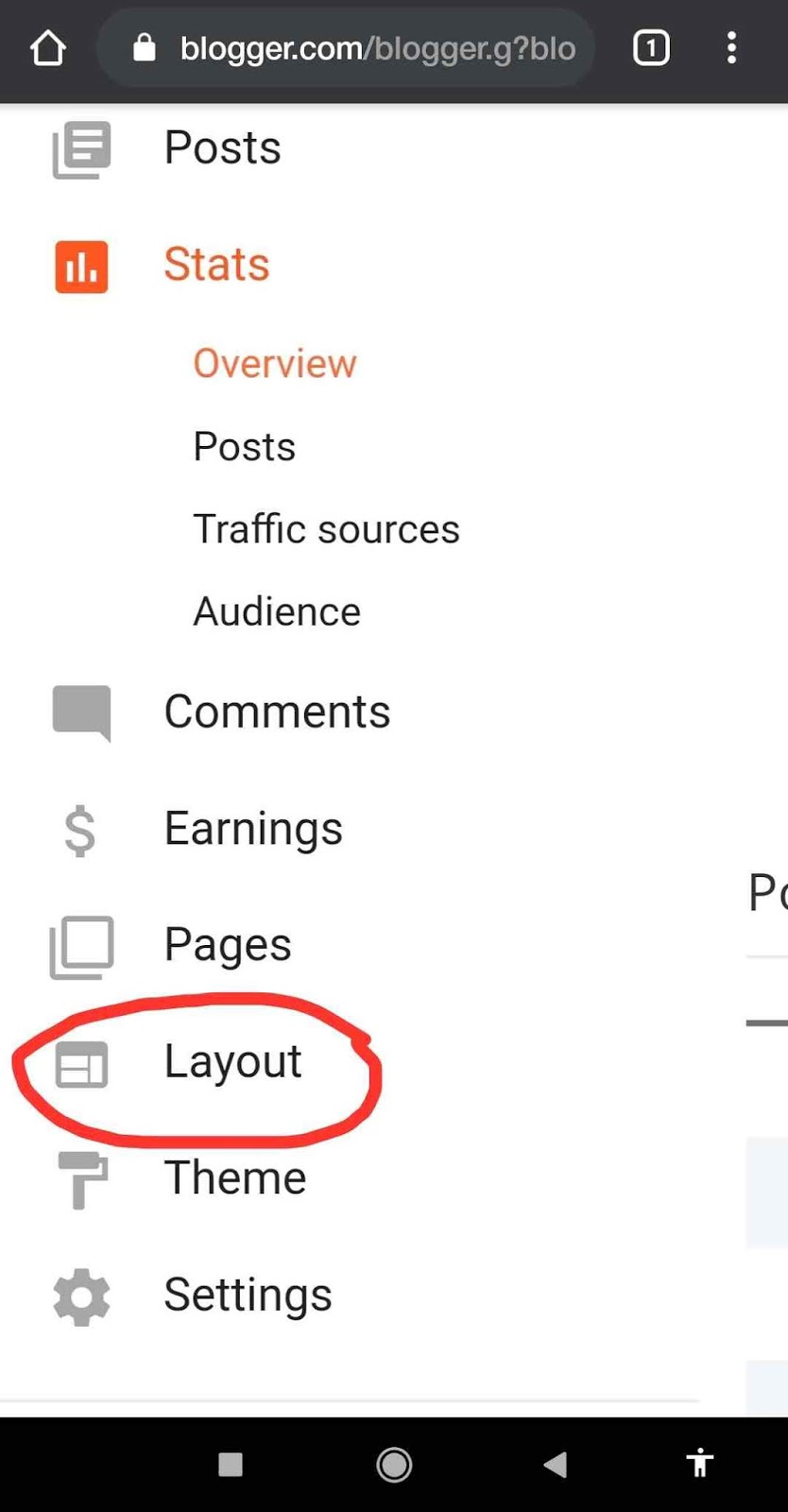
    Then after that, click again on the main menu button. Click on the ” layout section ” from the menu. 
    There you will get ” Change the Favicon Option “. Now you can upload the icon of your website. 
    Important: The image size should be square and should be less than 100 KB.
    Square Image Cropper: Click Here
    If you are using mobile devices , then request to desktop version in chrome , then after that you will able to crop the image.
    Please support us by donation
    Upi ID – 9469726720@upi

    Google Pay – +91 9469726720
    Your small contribution help us to create better content.
    Thank you….

    Top 5 Best Offline Multiplayer Games | Hotspot , Bluetooth Free Download

    If you are looking for the best offline multiplayer games then here we had listed the top 5 best offline multiplayer games which can be played via hotspot or Bluetooth. Here we have listed the top five free offline multiplayer game which you can play with your friend’s, colleague etc.

    GTA V is now free to download – Click Here To Know

    1) Doodle Army 2: Mini Militia 
    Mini militia is a very fun game which you can play with your friends and you can add 12 friends at a time Via LAN wifi ( hotspot ). It offers a wide variety of weapons to shoot like Sniper, RPG, Assault rifle, Flamethrower etc.
    2) Virtual Table Tennis
    So as you had already understood from the title that which type of game is this, So basically two players can play this game at a time via Bluetooth. In this game, one player has to host and another have to join. So as a whole the overall gameplay experience is very good.
    3) Glow Hockey
    So basically it’s finger hockey game where two-players, play against each other to score goals and trying to keep the opponent from scoring a goal in your net. So overall the game is very fun and entertaining.
    4) Asphalt 8 Airborne
    The asphalt racing has been very fascinating for all the gamers. No other racing game is much popular as compared to Asphalt racing.
    In Asphalt 8 you can play with your friends in offline mode via hotspot. 8 players can play together when they are connected to one Wi-Fi network particularly. The Asphalt 8 is bundled with highly polished graphics from Gameloft, realistic audio and there are more than 300 events, 9 seasons and over more than 200 cars. As a whole, the gameplay is awesome.
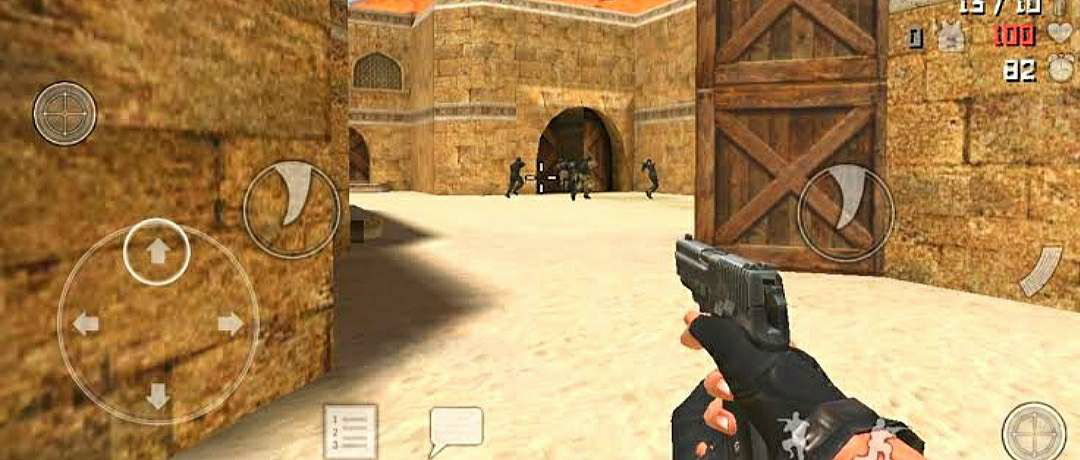
    5) Special Force Group 2
    It is one of the most popular offline multiplayer games just like counter strike. There are lots of weapons like AR, SMG, Sniper and explosives.
    The game offers five different modes: Classic mode, Capture the flag, Zombie mode, resurrection mode. Besides this, the audio quality is very realistic and the graphics are fantastic. Multiplayer can be played via both online and offline via wifi network ( hotspot ).
    Please support us by donation
    Upi ID – 9469726720@upi

    Google Pay – +91 9469726720
    Your small contribution help us to create better content.
    Thank you….

    How To Create Mobile App For Free 2020 – No Coding

    In this post you’r going to learn about, how to create your own mobile app for free. Mobile apps are usually 1.5 times more faster than websites and performs the action very quickly.

    Usually the application stores data locally in your device. For seamless experience of any site , the mobile apps play a vital role , because mobile apps or mobi-sites run on javascript to run function and apps run on framework.
    There are various advantages of having a mobile app for your business , websites or blogs. Some of the important features are as follows :
    1) Mobile apps offers instant online and offline access. It has ability to work online and offline.
    The ability to do work in the offline mode of mobile app is one of the biggest features that create the fundamental difference between the mobile app and website.

    2) The user get push notification and instant updates via mobile apps. For eg: If you have downloaded any shopping apps then it will send regularly push notification about their offers and events.

    3)Increase SEO potential for your websites. The mobile apps is one of the major source for traffic on your website and it ultimately lead to better ranking of your website in the search engine.
    How to bulid an Android app without coding knowledge ?
    So basically I am going to tell you about a site which help you to create your own mobile app for free , “Yes absolutely free” and yes you can publish your own app on the Google play store and you can monetize it. For those who don’t know what the monetization is , “In a simple way , placing of the Google ads in your website , mobile apps or YouTube videos is called monetization. The Google pay you whenever a user click on your ads.
    Steps for creating your own mobile app :
    1) Type Appsgeyser.com in your web browser. A new window will open , to run first of all you have to create an account on appsgeyser. You can create an account using Facebook ID or Google account.
    2) After creating an account you will get an option “Create a new app”. After that you have to choose which type of wave you want to build whether its a business app, blog, website or games. 
    3) After choosing the theme you have to fill up all the apps details like App name, logo, description etc. If you have a website or blog, you have to type the URL in the box. So aisa hall it’s a very simple procedure and it’s not necessary that you have good coding skills.
    4) In the next menu, you will get an option to add a tab and add a Facebook or Twitter page.
    5) And,  at the last, you have to add which type of feature do you want to add in your mobile apps. after completing all this process your mobile is now ready and you can download it for free. Besides this, you can publish it on Google play store and you can monetize it by AdMob.
    Start building your app : Click here
    Please support us by donation
    Upi ID – 9469726720@upi

    Google Pay – +91 9469726720
    Your small contribution help us to create better content.
    Thank you….
     

    How to Build Free Website | Free hosting | 2020

    Many of you want to have your own website. So in order to build a website, you need a good programming skill or you have to buy a pre-built template. So in this post, I’m going to show you how can you build your own website without any coding knowledge and you get lots of free templates. And after building the site you can host it for free and publish your website on the internet for free.

    Basically, the website is used for different purpose such as :
    •Blogs and personal
    •E-commerce
    •Online community
    •Portfolio
    •Informational

    How to get a free domain?
    1) First of all, you have to type zyro.com in the search box of your browser. Click on the choosing en link. After clicking the new window will open.
    2) First, you have to create an account in zyrosite. After creating an account, you will get different types of templates for free. The zyrosite provides different kinds of templates. You have to choose one of the templates of your own choice.
    3) After choosing the template, you have to customise the template with your business name,  services you provide etc
    4) Finally, when the customisation is done you have to publish your website on the internet and it is absolutely free. Within a minute your website will be published on the internet and it can be seen by anyone.
    Congratulation your website is finally published on internet.
    Please support us by donation
    Upi ID – 9469726720@upi

    Google Pay – +91 9469726720
    Your small contribution help us to create better content.
    Thank you….